Project information
- Overview: An AI-powered dashboard that monitors autonomous agents automating payroll workflows—document extraction, meeting scheduling, and support routing.
- Role: Sole Designer & Developer
- Duration: Ongoing (2024-Present)
- Tech Stack: React, TypeScript, Vite, Supabase, Gemini API, Microsoft Graph API
- Problem: Manual payroll tasks consuming 3-5 hours daily—document processing, calendar coordination, and support ticket routing.
- Goal: Build AI agents that automate repetitive tasks while maintaining human oversight through a real-time monitoring dashboard.
- Impact: Projected 3-5.5 hours of daily time savings through intelligent automation.
The Challenge
Payroll sales operations involve significant manual overhead—processing PDF attachments from emails, coordinating meeting schedules, and routing support requests to the right teams. These tasks are repetitive, time-consuming, and error-prone when handled manually.
The business was also transitioning from Atlas CRM to Salesforce, requiring data extraction from incoming documents and Excel population for import. This created an opportunity to automate the entire workflow with AI.
Document Extraction
PDF attachments in emails needed to be parsed, data extracted, and populated into Excel sheets for Salesforce import.
Meeting Coordination
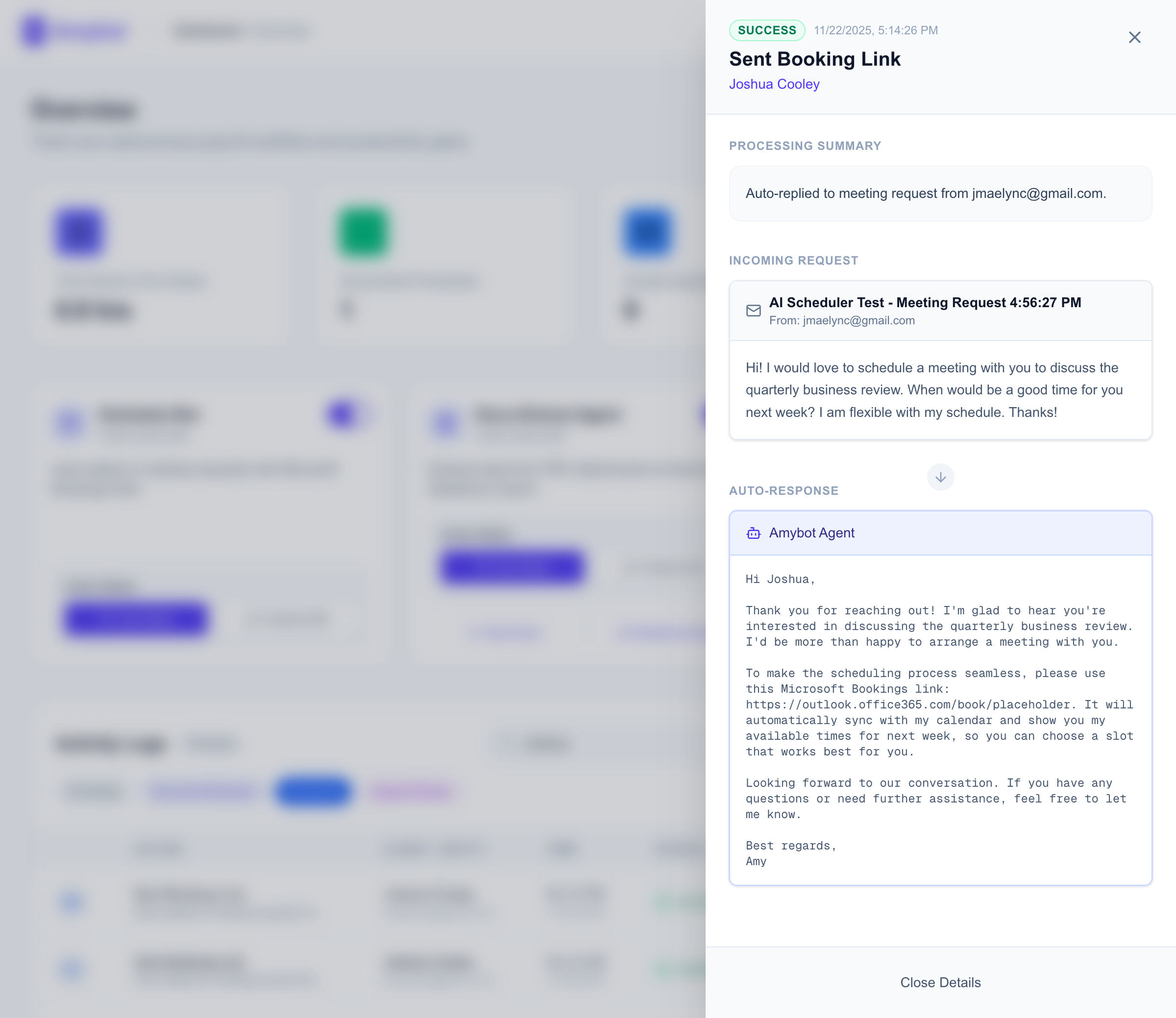
Meeting requests required manual calendar checks and link sharing. Automation could auto-reply with Microsoft Bookings links.
Support Routing
"Black Diamond" priority clients needed their support requests identified and forwarded to the correct team based on client codes.
AI Agent Architecture
I designed a multi-agent system where each autonomous agent handles a specific workflow. The architecture follows a classification-first pattern: incoming emails are analyzed by an AI classifier that routes them to the appropriate specialized agent.
Architecture Flow
Outlook Email Received
    ↓
Microsoft Graph Webhook → Supabase Edge Function
    ↓
Agent Classification (Gemini API)
    ↓
├─ Document Extractor: PDF → Excel → Supabase Storage
├─ Scheduler: Generate Bookings Reply → Send via Graph API
└─ Support Router: Lookup Client Sheet → Forward Email
    ↓
Log Entry → Supabase DB → Real-time Dashboard
Uses Tesseract.js OCR and pdf-parse to extract structured data from W-2s and payroll documents. Outputs to Excel format for Salesforce import.
Detects meeting request intent in emails and auto-generates replies with Microsoft Bookings links. Reduces back-and-forth scheduling.
Performs fuzzy matching against a priority client list and forwards support requests to designated teams with full context.
Dashboard Design
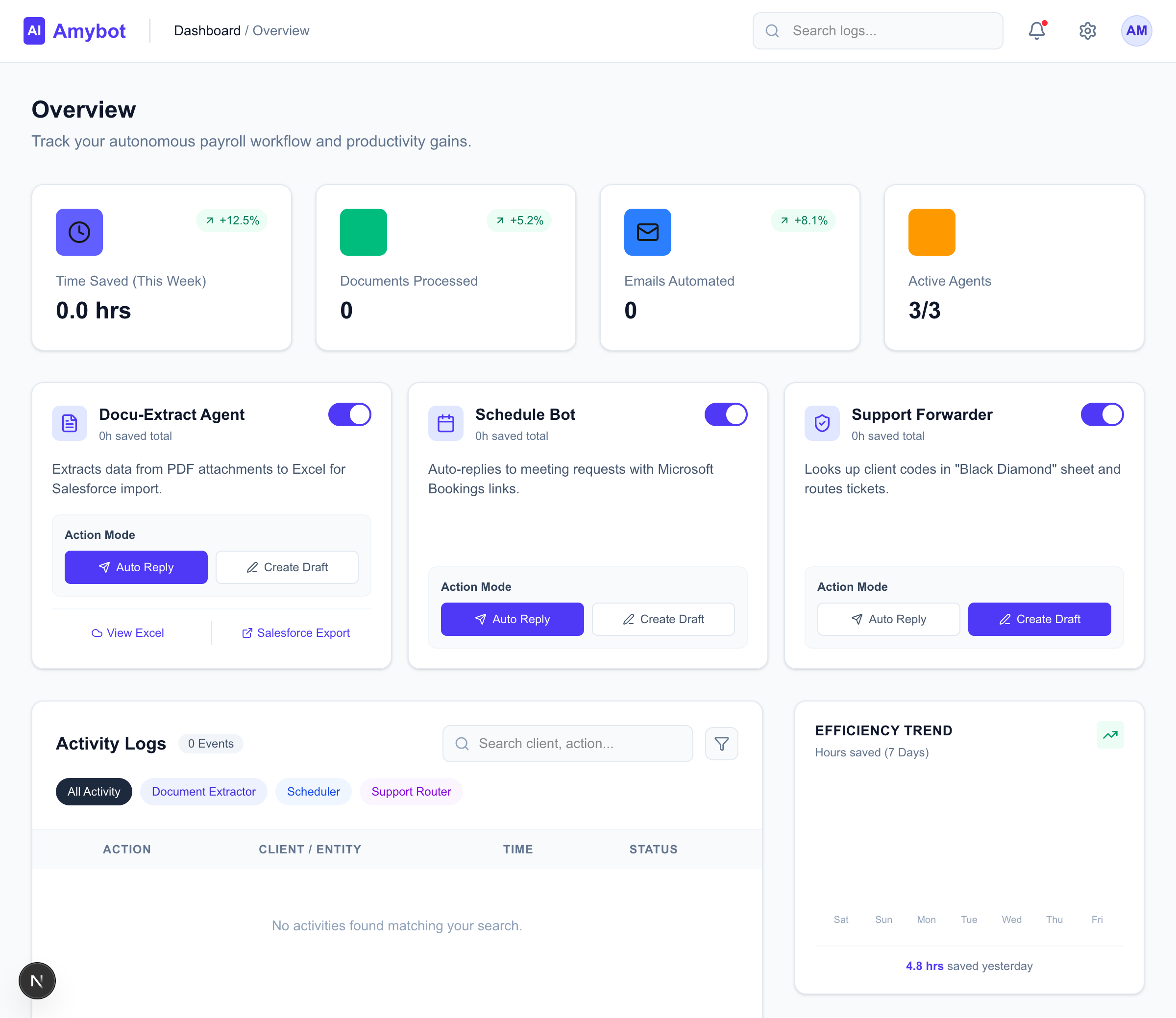
The dashboard provides real-time visibility into agent activity, enabling human oversight without requiring constant monitoring. Key design decisions included:
- Mode Controls (Auto vs. Draft) - Each agent can operate in "Auto" mode (executes immediately) or "Draft" mode (creates drafts for human review). This graduated autonomy builds trust while maintaining speed.
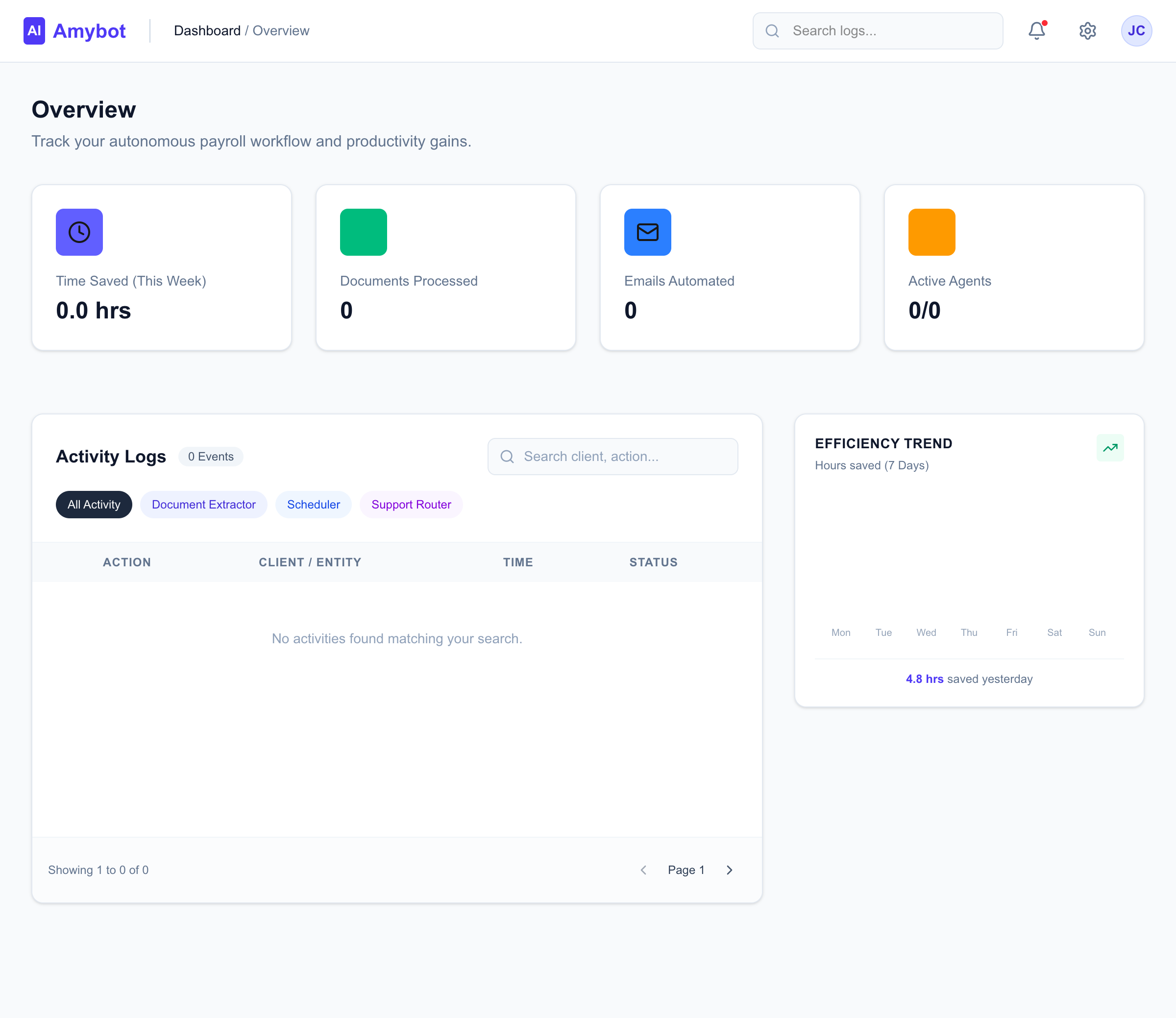
- Activity Feed - Paginated, filterable log of all agent actions with search, status indicators, and detailed metadata on click.
- Analytics Charts - Time-saved metrics and processing volume visualized daily to demonstrate ROI.
- Agent Status Cards - At-a-glance view of each agent's enabled state, mode, and cumulative statistics.

Key Design Decisions
Human-in-the-Loop
Draft mode ensures users can review AI decisions before execution. This was critical for building trust, especially with document extraction where accuracy is paramount.
Real-time Feedback
Supabase real-time subscriptions power live updates to the dashboard. Users see agent activity as it happens without page refreshes.
ROI Visualization
Every action logs estimated time saved. The analytics chart aggregates this data to show cumulative hours reclaimed—making the business case tangible.
Modular Agent Design
Each agent is independent and can be enabled/disabled individually. This allows gradual rollout and easy addition of new agents.
Results & Reflections
-
Projected Impact: 3-5.5 hours saved daily
Automating document extraction, scheduling, and support routing eliminates the bulk of manual email processing time.
-
Graduated Autonomy Works
Starting in Draft mode allowed stakeholders to build confidence in AI decisions before enabling Auto mode. This trust-building approach is essential for AI adoption.
-
Future Enhancements
Next steps include adding more specialized agents, improving extraction accuracy with fine-tuned models, and mobile app integration for on-the-go monitoring.
3-5.5hrs
Daily time savings projected